How to Mount the Minisforum MS-S1 Max in a 19-inch Rack
The Minisforum MS-S1 Max is a powerful workstation with a compact form factor and a strong hardware platform. This makes it an interesting choice for rack-based environments where space, airflow and clean cable management matter.
However, placing a compact desktop device inside a rack is not always ideal. Without a proper mounting solution, the device may sit loosely on a shelf, cables can become difficult to manage, and accessing the connectors can be inconvenient. That is why we developed the Minisforum MS-S1 Max Rackmount Kit “UM-MIN-206” — a professional and space-saving rackmount solution.
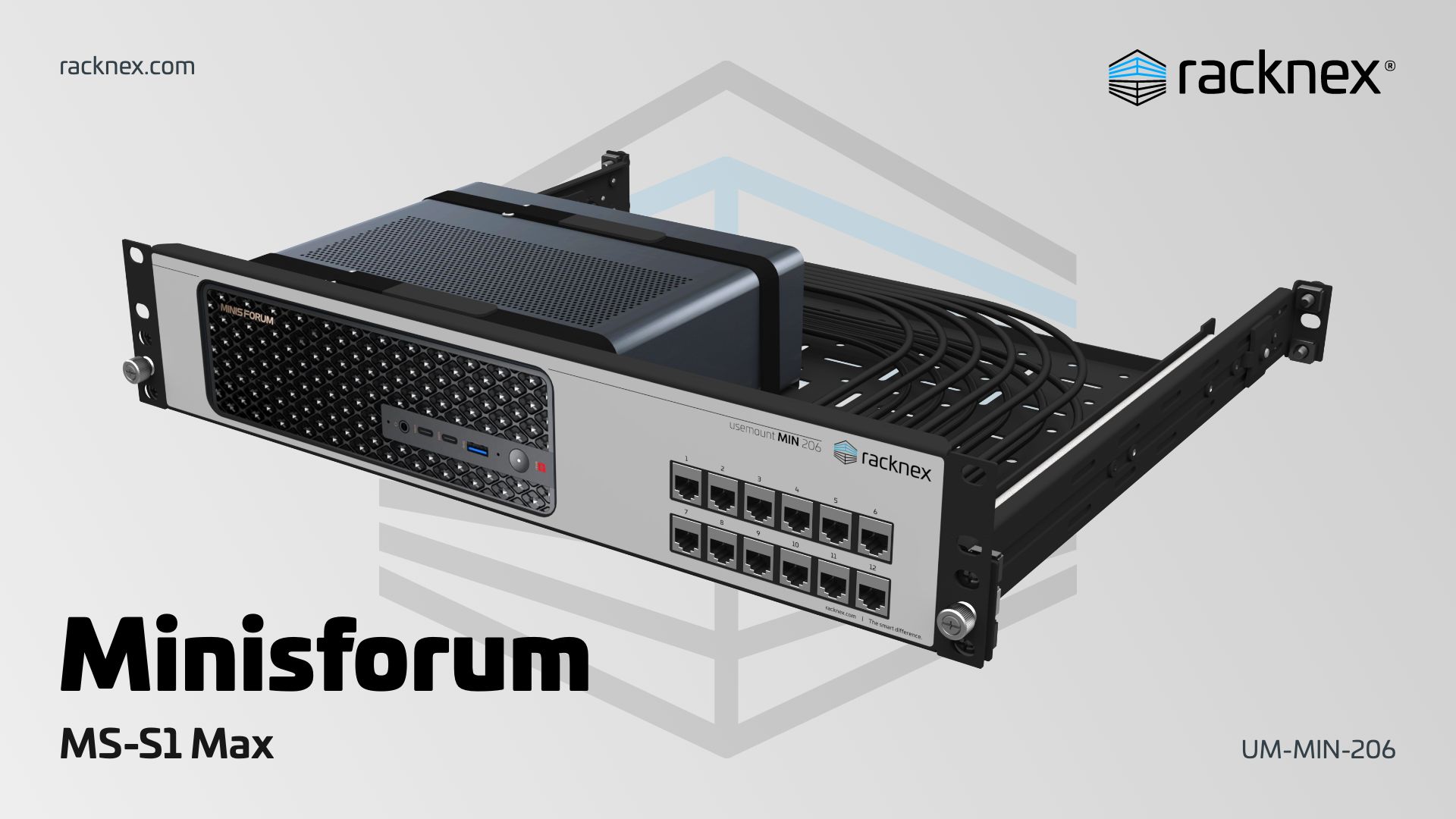
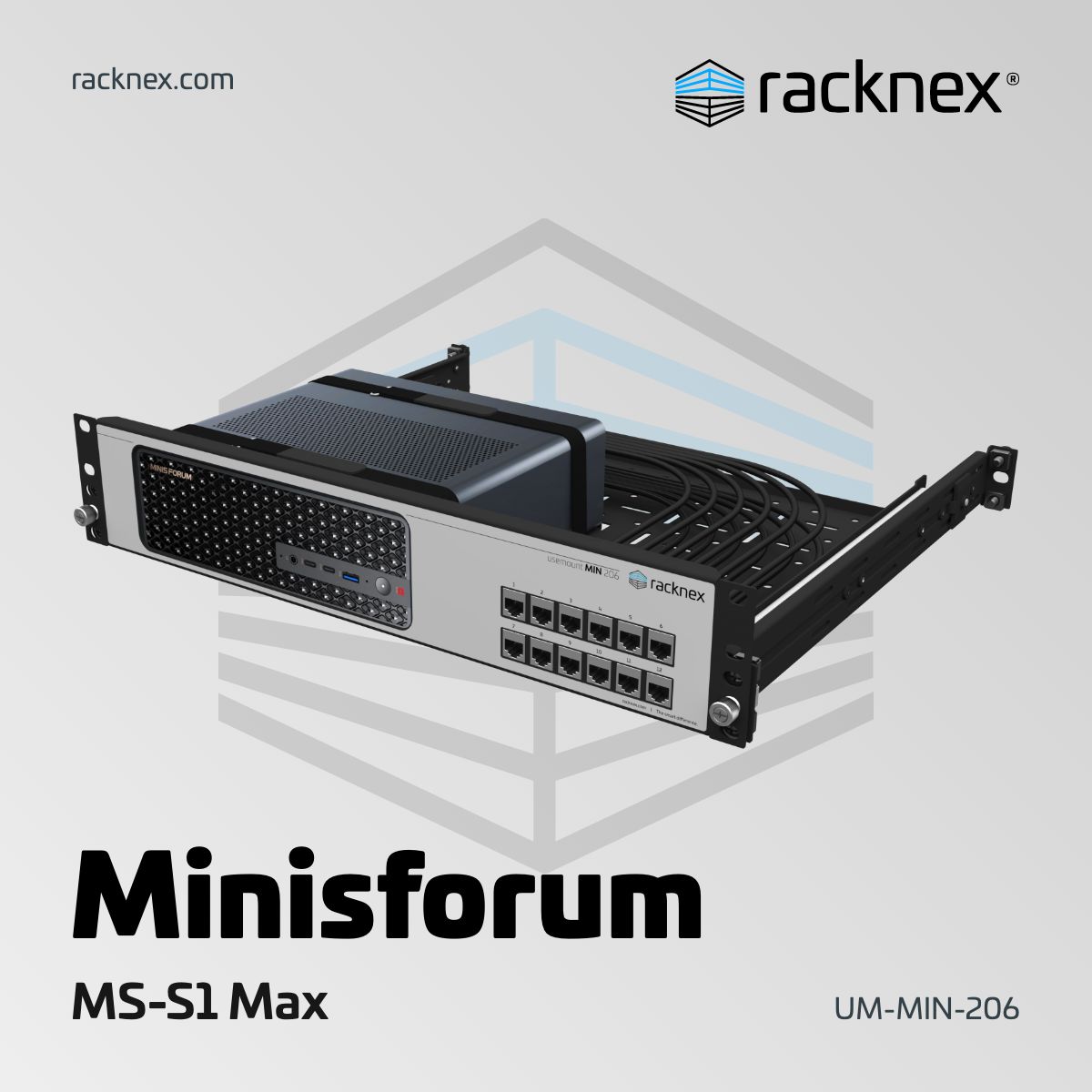
A Rackmount Kit Designed for the Minisforum MS-S1 Max
The UM-MIN-206 Rackmount Kit is designed to mount one Minisforum MS-S1 Max in a standard 19-inch rack using only 2.00U of rack space. The device is held securely in place with Velcro straps, while the steel rackmount provides a stable installation.
To make the device easier to use in a rack environment, the connectors can be routed to the front of the rackmount kit using a cable and keystone combination. Each of the 12 connectors sits flush with the front panel, is clearly labeled and can be configured to match your setup.
For clean cable management, the rackmount kit features cable mounting holes across the kit. Together with the included cable ties, this helps keep your rack clean and organized. Cutouts in the mounting area support airflow around the Minisforum MS-S1 Max.
If you also need regular access to the back of the device, the optional configurable Rail System allows you to slide the rackmount kit out of the cabinet when needed. An optional Cable Management Arm can also be configured to keep cables organized when using the rail system.
Latest blog posts
 https://racknex.com/wp-content/uploads/2026/03/minisforum-ms-s1-max-rack-mount-kit.jpg
1080
1920
racknex-Team
https://racknex.com/wp-content/uploads/2026/02/rackne-logo-new.svg
racknex-Team2026-05-26 13:32:052026-05-26 13:32:05How to Mount the Minisforum MS-S1 Max in a 19-inch Rack
https://racknex.com/wp-content/uploads/2026/03/minisforum-ms-s1-max-rack-mount-kit.jpg
1080
1920
racknex-Team
https://racknex.com/wp-content/uploads/2026/02/rackne-logo-new.svg
racknex-Team2026-05-26 13:32:052026-05-26 13:32:05How to Mount the Minisforum MS-S1 Max in a 19-inch Rack https://racknex.com/wp-content/uploads/2026/03/nvidia-dgx-spark-rack-mount-kit.jpg
1080
1920
racknex-Team
https://racknex.com/wp-content/uploads/2026/02/rackne-logo-new.svg
racknex-Team2026-03-09 12:59:302026-03-09 13:03:24How to Mount an NVIDIA DGX Spark in a 19-inch Rack
https://racknex.com/wp-content/uploads/2026/03/nvidia-dgx-spark-rack-mount-kit.jpg
1080
1920
racknex-Team
https://racknex.com/wp-content/uploads/2026/02/rackne-logo-new.svg
racknex-Team2026-03-09 12:59:302026-03-09 13:03:24How to Mount an NVIDIA DGX Spark in a 19-inch Rack https://racknex.com/wp-content/uploads/2025/12/merry-christmas-d.jpg
1080
1920
racknex-Team
https://racknex.com/wp-content/uploads/2026/02/rackne-logo-new.svg
racknex-Team2025-12-24 08:00:002025-12-19 08:55:59We wish you a Merry Christmas and a Happy New Year
https://racknex.com/wp-content/uploads/2025/12/merry-christmas-d.jpg
1080
1920
racknex-Team
https://racknex.com/wp-content/uploads/2026/02/rackne-logo-new.svg
racknex-Team2025-12-24 08:00:002025-12-19 08:55:59We wish you a Merry Christmas and a Happy New Year


Leave a Reply
Want to join the discussion?Feel free to contribute!